 Ultimate guide
Golf Swing Analysis for Mid Handicappers: A Practical Guide
Last Updated: November 5, 2026
Quick Summary
Golf swing analysis for mid handicappers means measuring what your swing actually does, rather than trusting feel. Start with strike location and smash factor, then check face angle and path, low point, and carry distance. Work through them in that order to find the fault costing you strokes.
- Confirm strike location and smash factor first, since poor contact causes most mid-handicap inconsistency.
- Compare face angle and club path across at least ten shots to see which varies more.
- Measure carry distance rather than total distance to track reproducible scoring power.
- Change one element per set of shots so you can tell what actually improved your data.
- Use a launch monitor session to confirm a change; use apps only for quick position checks.
Table of Contents
- Why Golf Swing Analysis Matters for Mid Handicappers
- Who Counts as a Mid Handicapper and Where Your Swing Breaks Down
- The Best Golf Swing Analysis for Mid Handicappers: What to Measure
- How AI Golf Swing Analyzers Work and Where They Fall Short
- Golf Swing Analysis for Mid Handicappers Online vs. In a Bay
- A Repeatable Swing Analysis Workflow Using SVN2's Trackman Bays
- Booking Your First Trackman Session at SVN2
- Frequently Asked Questions
Why Golf Swing Analysis Matters for Mid Handicappers
Mid-handicap golfers, generally shooting between 82 and 92 or carrying a 10 to 20 handicap, often hit enough good shots to believe their swing is basically sound. The scorecard tells a different story. Inconsistent contact, a slice that appears out of nowhere, and distance gaps that never close all point to mechanics that have drifted.
Research on golf biomechanics supports this approach. A review of biomechanics and motor-control research in golf practice shows how measured movement data has shaped coaching over the past decade. Earlier work on amateur swings reported that improper mechanics were more common in middle- and high-handicap groups, and that these mechanics may contribute to golf-related problems as shown in kinematic analysis of pro and amateur golfers.
Feel is a poor guide here. Mid handicappers frequently believe they are doing one thing while the club is doing another. Data closes that gap, which is why we built our sessions around measurement rather than guesswork.
Who Counts as a Mid Handicapper and Where Your Swing Breaks Down
A mid handicapper is usually defined by scoring range rather than a single number.
These faults rarely show up in isolation. A head that drifts laterally changes the low point, which changes the face angle at impact, which changes the curve of the ball. Tracing a bad shot back to its origin is the first real step toward fixing it.
Separating a true fault from ordinary variation matters just as much. Every swing differs slightly. The useful question is whether a measurement sits consistently outside the range that produces solid contact, and that is the question a session on our simulators is built to answer.
The Best Golf Swing Analysis for Mid Handicappers: What to Measure
The most useful golf swing analysis for mid handicappers does not start with a list of every metric a launch monitor can produce. It starts with a diagnostic order. The framework below ranks measurements by how directly they explain lost strokes, so you can work top-down instead of chasing whichever number looks worst on a given day.
Step 1: Strike Location and Smash Factor
Before path, plane, or speed, confirm where the ball is meeting the face. Strike location is the root cause behind most mid-handicap inconsistency, and it is the measurement that most video-based tools cannot give you. On Trackman, look at smash factor (ball speed divided by clubhead speed) and the heel-to-toe strike pattern. A smash factor that swings between, say, 1.38 and 1.48 across a set of driver shots tells you contact is scattered.
Step 2: Face Angle and Club Path
Once strike is repeatable, face angle and path explain the curve. Face angle (where the face points at impact) influences start direction more than path does, while path (the direction the clubhead travels through impact) tilts the spin axis. A slice typically shows an out-to-in path combined with an open face relative to that path. The diagnostic question is not "is my path wrong" but "which of the two is more variable across my shots." If face angle spreads across four degrees but path holds within two, face control is your priority.
Step 3: Low Point and Angle of Attack
Low point control determines whether you catch the ball cleanly or alternate between fat and thin. For irons, a descending angle of attack with a low point ahead of the ball produces compression; for driver, an upward angle of attack with a low point behind the ball produces distance. Mid handicappers frequently show a low point that drifts, which shows up as inconsistent carry distances and unpredictable turf contact. Because steadier low point control turns cleaner contact into more predictable scoring, it can help lower your handicap when you carry that feedback into every iron and driver session.
Step 4: Clubhead Speed and Carry Distance
Clubhead speed is only useful when paired with direction and strike. Chasing speed before the first three steps are stable usually adds dispersion rather than distance. Measure carry distance rather than total distance, because carry is the number you can reproduce indoors and the one that translates to scoring on approach shots.
Separating a Meaningful Fault from Normal Variation
Every swing differs slightly, and one bad shot on video is not a diagnosis. The useful question is whether a measurement sits consistently outside the range that produces solid contact.
The framework below ranks the core measurements by how directly they explain lost strokes, so you can work top-down.
| Step | What to measure | Why it matters |
|---|---|---|
| 1. Strike location | Smash factor and heel-to-toe strike pattern | Root cause behind most mid-handicap inconsistency |
| 2. Face angle and path | Which of the two varies more across shots | Face angle drives start direction; path tilts spin axis |
| 3. Low point and angle of attack | Low point position relative to the ball | Controls compression for irons and distance for driver |
| 4. Clubhead speed and carry | Carry distance rather than total distance | Carry is reproducible and translates to approach scoring |
How AI Golf Swing Analyzers Work and Where They Fall Short
AI golf swing analyzers process video of your swing, identify key positions, and flag deviations from a reference model. Products such as GolfFix's AI swing analyzer describe detecting flaws and offering immediate virtual feedback, while 18Birdies' AI Swing Analyzer focuses on identifying strengths and areas to improve.
Their limits are real and worth understanding before you build a practice plan around one. Video analysis depends heavily on camera angle, lighting, and framing, and it measures body positions more readily than the ball flight those positions produce.
When to Use an App, a Coach, or a Launch Monitor
The decision comes down to what question you are trying to answer.
- Use an app when you want to check positions. If your goal is to see whether your takeaway or backswing plane looks the way you intend, a phone-based analyzer is fast and inexpensive. It is a position check, not a ball-flight measurement.
- Use a launch monitor session when you need to confirm a change. A bay session ties measured ball flight to your swing data in the same moment. You see club path, face angle, and carry distance for each shot, which lets you connect a mechanical change to a scoring outcome. This is the tool for answering "did that change actually help?"
- Use a coach when the data shows a fault you cannot resolve alone. A launch monitor tells you what is happening; a coach helps you understand why and how to change it. Many mid handicappers reach a point where the numbers are clear but the fix is not, and that is the moment to bring in instruction rather than collect more data.
A common pattern is to use all three in sequence: an app for a quick position check, a launch monitor session to confirm whether a change holds up under repetition, and a coach when the data plateaus. The mistake is treating any one tool as a complete solution.
Watch out: an app's flaw detection is only as good as its camera setup, so a poorly framed video can produce confident but wrong feedback. Confirm any flagged fault against measured ball flight before you change your swing.
Golf Swing Analysis for Mid Handicappers Online vs. In a Bay
Online analysis is accessible and inexpensive, so it suits quick checks. A bay session offers something video cannot: measured ball flight tied to your swing data in the same moment. You see the club path, face angle and carry distance for each shot, which lets you connect a mechanical change to a scoring outcome.
Choose online tools when you want to review positions or send a swing to a coach. Choose the bay when you need to confirm a change and understand whether it holds up under repetition. Many golfers use both, with the bay providing the data and the app reinforcing it between visits.
A Repeatable Swing Analysis Workflow Using SVN2's Trackman Bays
A repeatable workflow keeps your analysis from becoming random. Follow the same sequence each visit so your measurements stay comparable.
- Warm up with a fixed set of shots. Hit 10 to 15 balls with your regular club to establish a baseline.
- Record your primary metrics. Note club path, face angle, clubhead speed and carry distance for each shot.
- Identify the largest source of variation. Look for the metric with the widest spread across shots.
- Make one change at a time. Adjust a single element, such as the takeaway or hip rotation, and hit another set.
- Compare the sets. Check whether the change tightened your data and improved strike consistency.
- Log the result. Record what changed so you can track progress across sessions.
Keeping to one change per set is the discipline that matters most. Multiple adjustments at once make it impossible to know what worked.
Booking Your First Trackman Session at SVN2
Your first session should be built around the measurements above. Arrive with a clear goal, such as tightening your face angle or narrowing your carry-distance spread, so the data you collect has a purpose. SVN2 Indoor Golf's facilities are fully self-service, and our pay-as-you-go model lets you book time as you need it.
Pricing depends on the session you choose and current availability, so check the SVN2 Indoor Golf website for up-to-date rates before you book.
Frequently Asked Questions
Can AI analyze my golf swing?
Yes. AI swing analyzers use video or sensor data to flag common faults and compare your motion against reference positions. The output is most useful as a starting point: it highlights what to check, and a coach or your own follow-up session confirms whether the change holds across several shots.
What handicap is considered a mid handicap in golf?
A mid-handicap golfer is generally described as shooting between 82 and 92, which corresponds roughly to a 10 to 20 handicap. At this level, most strokes are lost to a handful of repeatable swing faults and inconsistent contact rather than to a lack of ball-striking skill, which is why targeted analysis tends to produce faster scoring gains than general practice.
Which golf swing metrics matter most for mid handicappers?
Clubhead speed matters too, but only after contact is consistent. Track these across at least 20 shots with the same club, since a single swing can mislead you. At SVN2's Trackman bays you can compare these numbers session to session.
Can a golf simulator help identify swing problems?
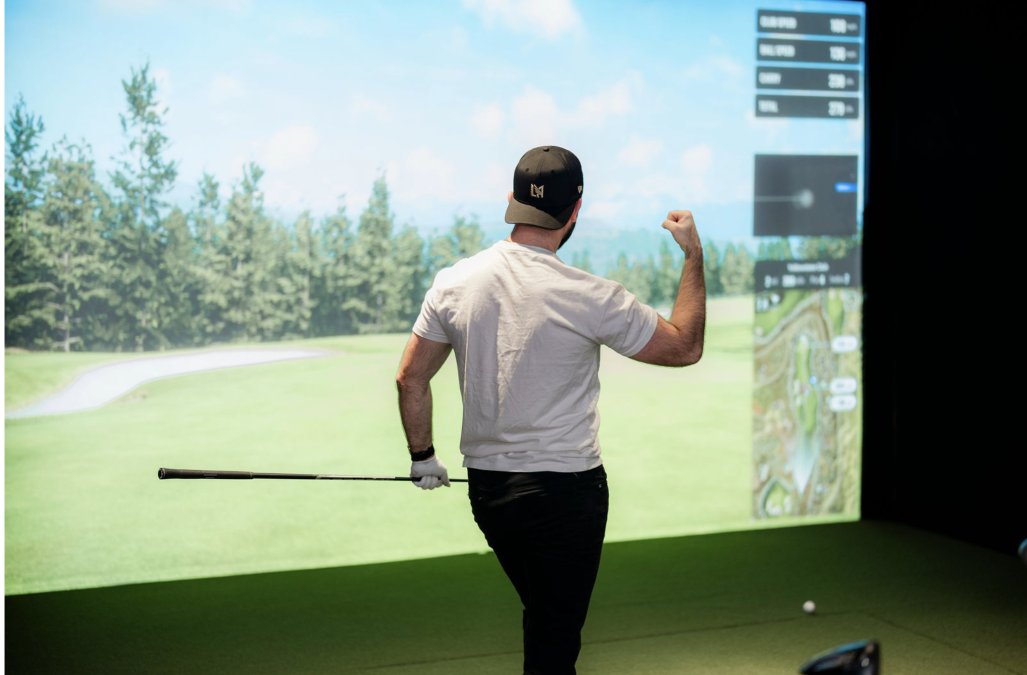
Yes. A Trackman simulator at SVN2 measures launch and spin data for each shot. Pairing those numbers with video from the bay lets you connect a ball-flight result to the movement that caused it.
How often should a mid handicapper analyze their golf swing?
A practical rhythm is one structured analysis session every two to four weeks, with shorter checks in between. Each session should focus on one or two faults and end with a short set of shots to confirm the change. Booking sessions on a pay-as-you-go basis at SVN2 lets you space them out as needed.
Can a phone app accurately analyze a golf swing?
A phone app can give useful directional feedback on posture, tempo and swing plane, especially for spotting obvious faults. It cannot measure ball flight or impact conditions as precisely as a launch monitor. For mid handicappers, the best approach is to use a phone video to review movement and a Trackman bay to verify how those movements affect the ball.