 Comparison
Launch Monitor vs Video Analysis for Golf Practice
Last Updated: November 14, 2026
Quick Summary
A launch monitor measures the outcome of each shot, including ball speed, launch angle, spin, and club path, while video analysis shows what the body did to produce that shot. Use a launch monitor to judge results and video to find the cause of a miss. Combining both at SVN2 gives you data and movement evidence together.
- A launch monitor is the primary tool for yardage control and dispersion tracking.
- Video analysis reveals the swing sequence, including hip rotation and club position at the top.
- A launch monitor cannot show the movement that caused a miss.
- Video alone gives no ball-flight data, so it cannot confirm that a change improved the shot.
- Beginners should start with video, while experienced players should lead with launch monitor data.
Table of Contents
- What a Launch Monitor Measures and What It Misses
- What Video Analysis Shows That Numbers Cannot
- Trackman Swing Analysis at SVN2: Data Meets Mechanics
- Side-by-Side Comparison: Launch Monitor vs Video Analysis
- Choosing Between a Golf Swing Analysis App and a Simulator Session
- Cost of Launch Monitor vs Video Analysis for Golf
- Booking Your First Session at SVN2 Indoor Golf
- Frequently Asked Questions
What a Launch Monitor Measures and What It Misses
Every swing at SVN2 Indoor Golf produces a set of numbers before the ball has landed.
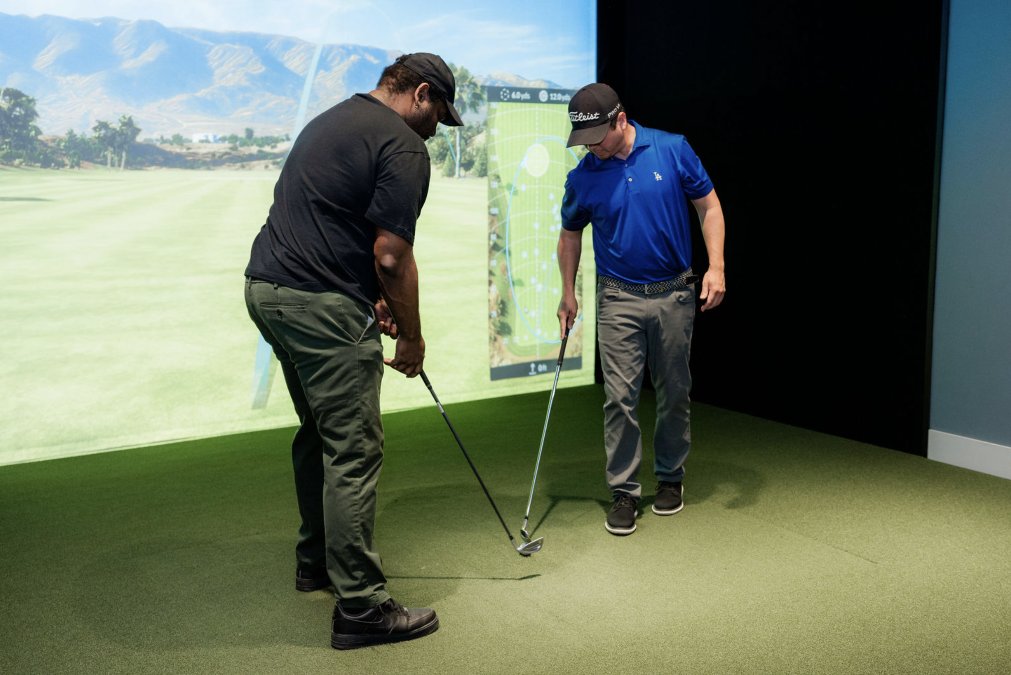
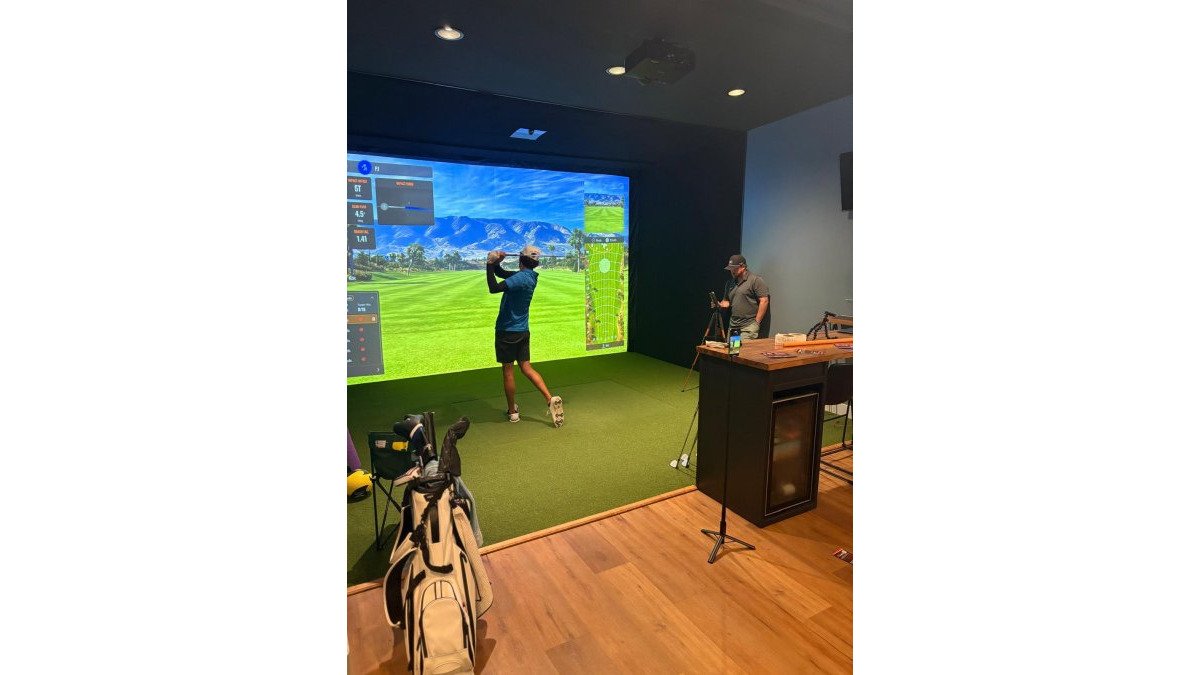
The Trackman simulators we run at SVN2 measure ball and club data, including ball speed, launch angle, spin rate, club path, and face angle. Those figures tell you what happened at impact.
That gap matters. Reading the numbers well means treating them as evidence of outcomes, then using them to decide what to examine next. Step-by-step guidance on interpreting launch monitor numbers walks through this process in order.
What Video Analysis Shows That Numbers Cannot
Video answers the question the numbers leave open: what did the body do?
Frame-by-frame review catches movement patterns that happen in a fraction of a second and are difficult to judge at full speed.
Video also shows consistency across swings. One good ball flight can hide a poor move, but a reviewed sequence of ten swings often reveals the repeated flaw.
Trackman Swing Analysis at SVN2: Data Meets Mechanics
The strongest case for combining the two methods comes from practice at SVN2.
Here is how a session can work. Hit a set of shots and note which ones miss. Review the video of those swings to find the movement behind the miss. Then hit again and check whether the numbers improved. Each step gives the next one a purpose.
Booking a session at SVN2 lets you work through the data at your own pace, on your schedule.
Side-by-Side Comparison: Launch Monitor vs Video Analysis
The two tools answer different questions, and the fastest way to choose is to start from the question you actually need answered. The table below is organized around golfer needs rather than device specs, because that is the decision most players are actually making.
| Factor | Launch Monitor | Video Analysis |
|---|---|---|
| Primary output | Ball and club numbers | Body movement and sequence |
| Best question it answers | What did the shot do? | Why did the swing do that? |
| Strength | Precise, repeatable measurements | Shows motion patterns in slow motion |
| Limitation | Cannot show the cause of a miss | Gives no ball-flight numbers |
| Best used for | Yardage control, dispersion tracking | Fixing movement faults |
| Typical setup at SVN2 | Trackman simulator bay | Video capture within the bay |
Questions the launch monitor can answer
- How far did the ball carry, and how far offline did it finish?
- What were ball speed, launch angle, and spin rate on that shot?
- What were club path and face angle at impact?
- Did dispersion tighten or widen across a block of ten swings?
- Did a swing change actually alter the ball flight, or did it only feel different?
Questions the launch monitor cannot answer
- Where in the swing did the club first move off plane?
- Was the takeaway early, late, or on time?
- Did the hips rotate before or after the arms started down?
- Is the same flaw repeating across swings, or was that one an outlier?
Questions video analysis can answer
- What did the body do through the takeaway and backswing?
- Where was the club at the top, and how did the shaft angle change through impact?
- Is the same movement pattern repeating across a sequence of swings?
- Did a setup or posture change hold up under repetition?
Questions video analysis cannot answer
- How much did that swing change actually move the ball?
- Did the change reduce dispersion, or just look different on camera?
- Did ball speed or launch conditions improve?
A needs-based decision framework
Start with the question you cannot currently answer, then pick the method that answers it.
- If your miss is consistent but you do not know why, start with video. The numbers will confirm the outcome, but the movement is the cause.
- If your ball flight is inconsistent and you cannot tell whether a change helped, start with the launch monitor. Video can show a new position, but only measured data confirms the effect.
- If you are working on distance control or dispersion, the launch monitor is the primary tool and video is the check.
- If you are working on a specific movement fault, video is the primary tool and the launch monitor is the verification.
- If you are self-coached and unsure which question to ask first, book a session at SVN2 and use the first block of shots to let the data and the video point to the right starting question.
Pros of the launch monitor at SVN2: It gives immediate, measurable feedback on every shot.
Pros of video analysis at SVN2: It reveals the swing sequence in detail, which helps you find the root cause of a flaw.
Cons of video analysis at SVN2: Video alone gives no ball-flight data, so you cannot confirm whether a change improved the shot.
Skill-level and coaching-context guidance
- Beginners: Video first. New players usually need to see posture, grip, and sequence before ball-flight numbers mean much. Use the launch monitor to confirm that a setup change produced a straighter or more consistent shot.
- Experienced players: The launch monitor leads. At this level, small changes in path and face angle matter, and the numbers catch differences the eye misses. Use video to explain why the numbers moved.
- Self-coached golfers: Alternate deliberately. Pick one variable, change it, check the video, then check the numbers. Changing several variables at once makes both tools useless.
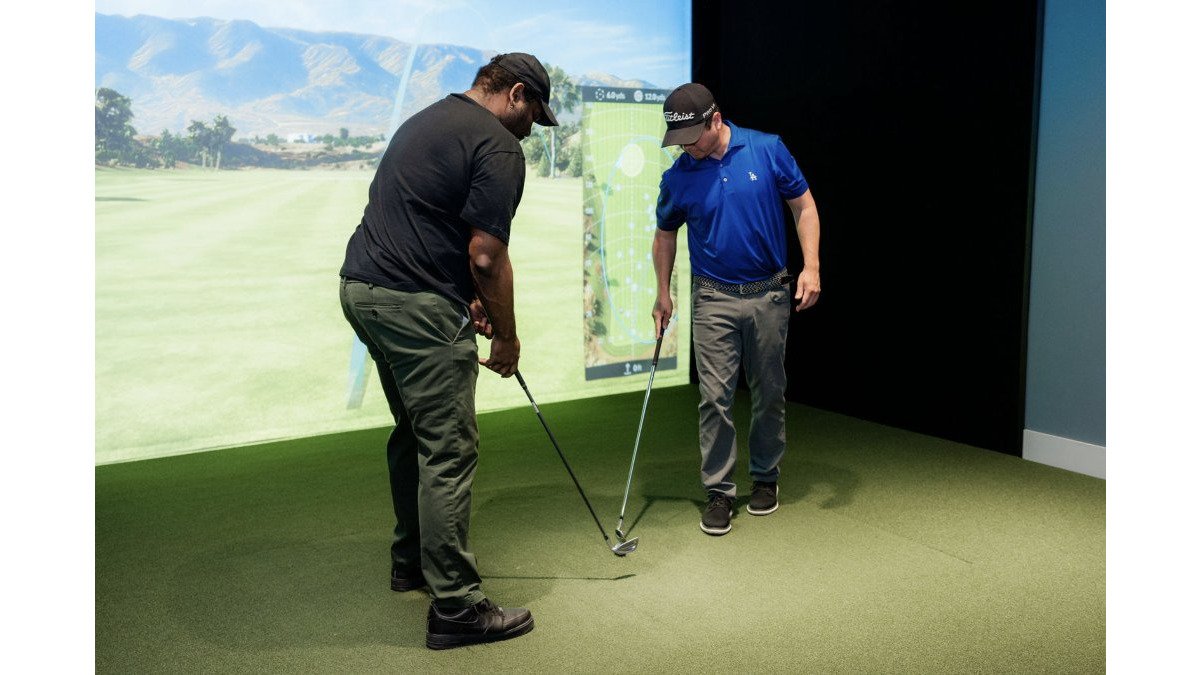
- Golfers working with an instructor: Bring both. An instructor can use the video to point to a movement and the launch monitor to show the effect, which keeps the lesson anchored to outcomes rather than feel.
Watch out: treating a swing change and a better shot as proof of cause is the most common interpretation error. A single good shot after a change does not confirm the change worked; a block of shots with tighter dispersion and a visible movement difference is stronger evidence.
Choosing Between a Golf Swing Analysis App and a Simulator Session
A swing analysis app is a reasonable choice if you only need to review your motion on a phone. It works with your own swings and your own schedule, and it costs less to start.
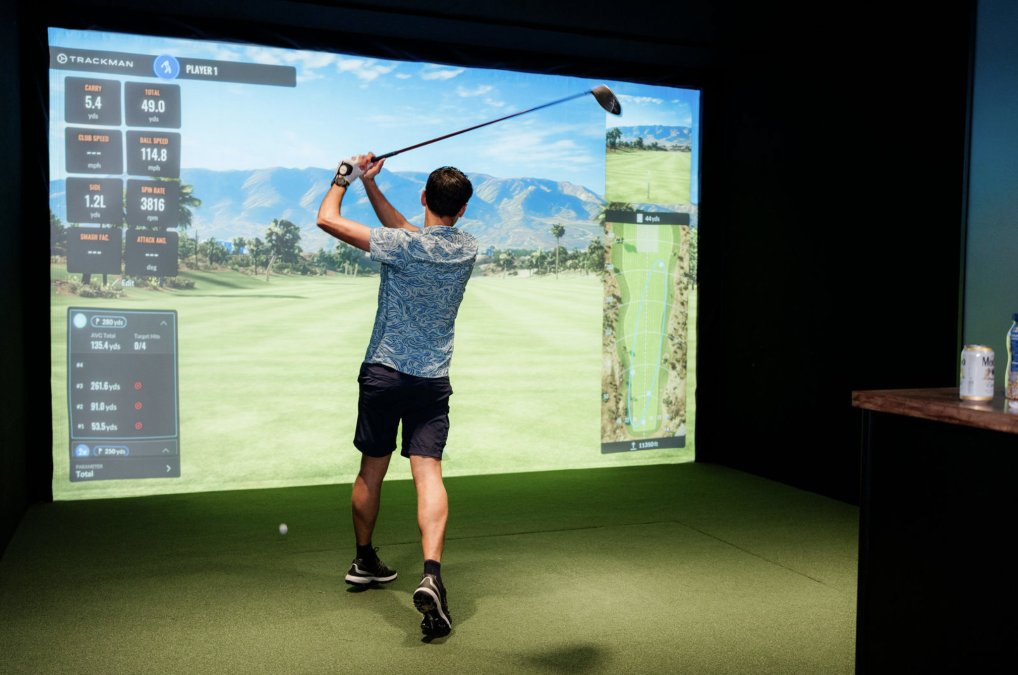
A simulator session suits you better when you need both the numbers and the movement. You get launch data for every shot and video to explain the results.
Choose the app for casual motion checks. Choose a simulator session for structured improvement work at SVN2.
Cost of Launch Monitor vs Video Analysis for Golf
Cost is where the comparison most often goes wrong, because device price is only one line item. A realistic comparison looks at entry cost, ongoing needs, and what each method requires to be useful.
Session pricing depends on the session and the services you need. Check the SVN2 website or contact the facility for current rates before you book.
What ownership actually requires
Buying your own equipment is a separate decision from booking a session, and the full cost is rarely just the device.
- Launch monitor: The unit itself, plus a compatible display or tablet, a hitting mat, a net or screen, enough space for safe ball flight, and often a software subscription for data and practice modes. Some units need specific lighting or space conditions to read accurately.
- Video analysis: A phone or camera, a tripod or mount, adequate lighting, and a swing analysis app. The entry cost is lower, but the setup still needs to be consistent to make footage comparable session to session.
- Both together: The combined setup is where the real cost sits, because you need the launch monitor, the video capture, and a space that supports both without the camera and the radar interfering with each other.
The ongoing-cost question
Ownership is not a one-time purchase. Software subscriptions, replacement mats, and space requirements recur, and a device that reads well in one environment may need adjustment in another. A common pattern is that golfers underestimate the space and setup cost and overestimate how much they will use a home unit.
Using SVN2 means you pay per session and skip the equipment cost entirely. You also get a Trackman simulator in a self-service facility.
A realistic budget comparison
Rather than comparing device price alone, compare what each path costs to reach a usable practice setup.
- App-only path: Lowest entry cost. Suitable for motion review, but gives no ball-flight data and depends on your own space and lighting.
- Own launch monitor path: Higher entry cost plus space, accessories, and software. Suitable if you will practice frequently and can dedicate the space.
- SVN2 session path: Per-session cost with no equipment outlay. Suitable if you want both data and video without committing to a home setup.
Watch out: a low device price can hide the cost of the mat, net, display, and software needed to make the unit useful. Add those before comparing a home setup to a session at SVN2.
What to compare before you decide
- Total entry cost, not device price alone.
- Ongoing software and accessory costs.
- Space and lighting requirements.
- Whether the setup supports both video and measured data.
- How often you will realistically practice.
For most golfers comparing the two methods, the honest answer is that a session at SVN2 delivers both data and video at a per-session cost, while a home setup delivers ownership at a higher total cost and a larger space commitment. Compare current listings and current session rates directly before deciding.
Booking Your First Session at SVN2 Indoor Golf
Start by choosing a goal for your first visit. If you want yardage control, focus on the shot data. If your ball flight is inconsistent, spend time reviewing the swing video of your misses.
Once you have a basic routine, read our guide on structuring an indoor golf session at SVN2 so each visit builds on the last.
Frequently Asked Questions
Which AI tool is the best for golf swing analysis?
The right tool depends on what you need to learn. AI and app-based swing analysis tools are strongest at showing body position and motion sequence from video, while launch monitors such as Trackman measure ball and club outcomes. Many golfers get the most value by pairing both: the video explains why a shot happened and the launch data confirms whether the change improved the result. At SVN2 Indoor Golf, Trackman simulators provide the launch data.
Are golf launch monitors worth it?
A launch monitor is worth it when you want objective feedback on ball speed, launch angle, spin, and club data rather than relying on feel alone. The value is highest when you use the data to make one specific change at a time and check whether the numbers move. Pricing for personal equipment varies widely, so compare the cost of owning a unit with the cost of practicing at a facility that already has a Trackman setup. SVN2 Indoor Golf lets you use that equipment on a pay-as-you-go basis; contact the facility or visit its website for current pricing.
What can video analysis show that a launch monitor cannot?
Video shows how you move: your posture at address, the sequence of your hips and torso, your club path and face position through the swing, and where your body sits at impact. A launch monitor reports the result of those movements in ball and club numbers. If a launch monitor shows a slice, video helps you see whether the cause is an open face, an outside-in path, or a grip issue.
Should golfers use a launch monitor and video analysis together?
Yes, for most golfers who want to change their swing rather than just track their numbers. Launch data tells you whether a change helped, while video tells you what your body did to produce it. A practical workflow is to record a baseline swing, note the launch data, make one adjustment, then compare both the video and the numbers. Measurement has limits: a single shot can vary, so look for patterns across several swings. SVN2's self-service format lets you run this loop at your own pace during a session.