 blog
Best Indoor Golf Simulator for Practice: 2026 Guide
Table of Contents
- What Makes a Simulator Best for Practice (Not Just Play)
- Golf Simulator Data Metrics for Improvement
- How to Set Up a Golf Practice Studio at Home
- Benefits of Self-Service Golf Facilities for Serious Practice
- Comparing Launch Monitors: Radar vs. Photometric Systems
- Long-Term Maintenance and Hidden Costs of Ownership
- Conclusion
- Frequently Asked Questions
Last Updated: September 24, 2026
What Makes a Simulator Best for Practice (Not Just Play)
The best indoor golf simulator for practice is the one that gives you accurate, trustworthy ball flight data and lets you access it on your own schedule. Entertainment value matters less. What matters is whether the numbers you see on screen match what happens on a real course.
An indoor golf simulator is a hardware and software system that tracks your club and ball through space, then renders the resulting shot in a virtual environment. The tracking technology determines everything.
Ball Flight Data That Actually Changes Your Swing
Not all data is useful. A simulator that only shows total distance tells you almost nothing about why a shot went wrong.
Useful practice data includes carry distance, spin rate, launch angle, club path, and face angle. When a shot curves, you need to know whether the face was open or the path was out to in. That distinction is what drives a real fix.
The best indoor golf simulator for practice surfaces these numbers immediately after each swing, without forcing you to dig through menus. Speed of feedback matters more than volume of data.
Golf Simulator Data Metrics for Improvement
Golf simulator data metrics for improvement come down to a small set of numbers that explain ball flight. Learn these five and you can diagnose almost any miss.
- Club head speed: how fast the club moves at impact
- Ball speed: how fast the ball leaves the face
- Smash factor: ball speed divided by club head speed, a measure of strike quality
- Spin rate: how much the ball rotates, which affects lift and stopping power
- Club path and face angle: the two inputs that create curve
Key Metrics: Spin Rate, Smash Factor, and Club Path
Smash factor is the fastest way to check your contact. A solid strike produces a higher ratio; a thin or heavy strike drops it. If your smash factor is low, fix contact before changing anything else.
Spin rate explains why two shots with similar speed behave differently. Back spin lifts the ball and helps it stop. Side spin and a tilted spin axis create curve. Club path and face angle determine that tilt.
Trackman-style radar systems measure these values directly, which is why serious players trust them for yardage work. Trackman's ball flight data overview explains how radar captures the full flight.
| Metric | What It Measures | Why It Matters |
|---|---|---|
| Smash factor | Strike quality | Low value signals off-center contact |
| Spin rate | Ball rotation | Controls lift, curve, and stopping |
| Club path | Swing direction at impact | Determines start line and curve |
| Face angle | Clubface orientation | Primary driver of shot direction |
| Carry distance | Airtime distance | True yardage for club selection |
How to Set Up a Golf Practice Studio at Home
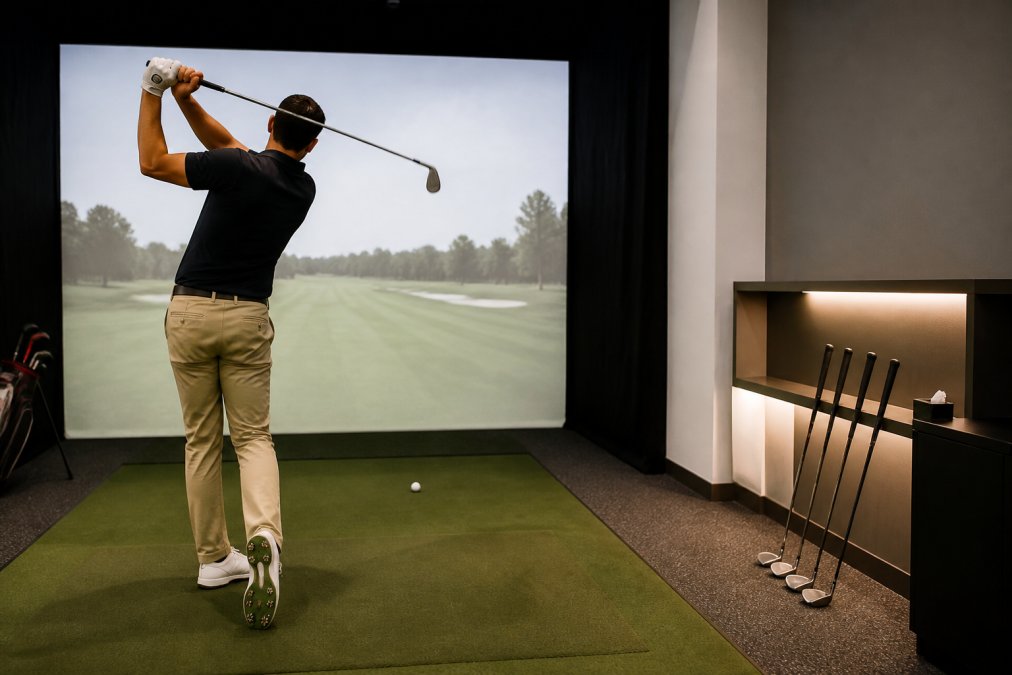
Setting up a golf practice studio at home requires enough ceiling height, a solid hitting mat, a launch monitor, and a display. Most garages and basements can work with careful planning.
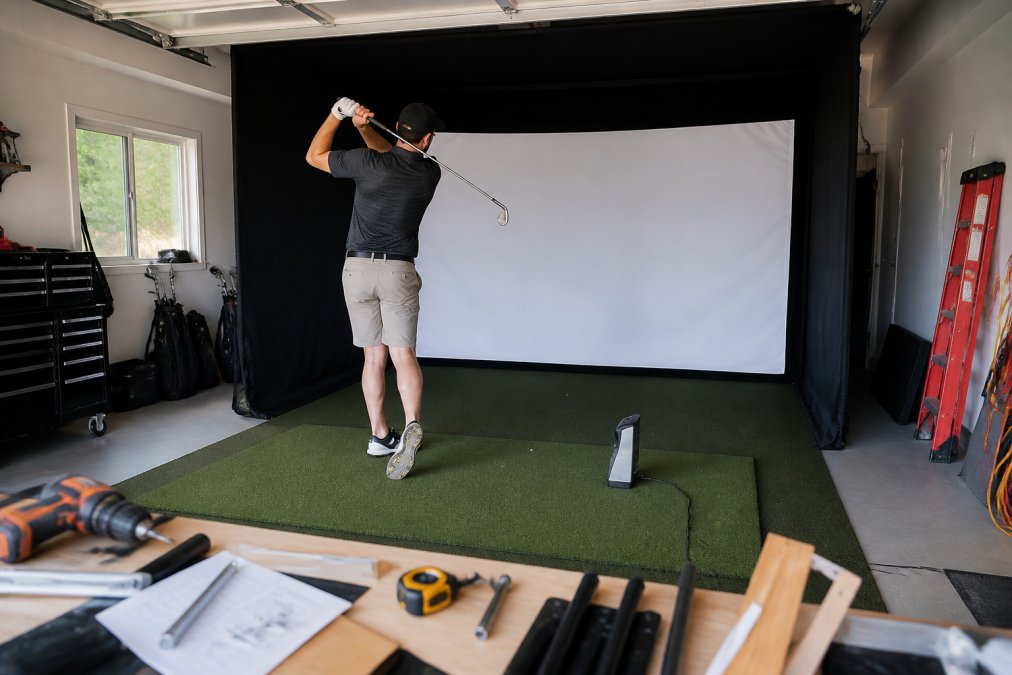
Space, Power, and Acoustic Requirements
Ceiling height is the first constraint. You need clearance for a full swing with your longest club, plus margin for safety. Measure your driver swing, not your wedge.
Setup footprint depends on your tracking technology. Radar units need space behind and in front of the ball. Photometric systems need a defined camera zone. Map both before you buy anything.
Power and cooling deserve early attention. A projector, launch monitor, computer, and screen draw continuous load. A dedicated circuit prevents tripped breakers mid-session. In a garage or attic, summer heat stresses both you and the electronics, so plan for a fan or a small cooling unit.
Acoustic dampening matters more than most buyers expect.
Benefits of Self-Service Golf Facilities for Serious Practice
The benefits of self-service golf facilities come down to control. You practice when you want, for as long as you want, without booking a lesson or committing to a membership.
Comparing Launch Monitors: Radar vs. Photometric Systems
Launch monitors split into two families: radar-based and photometric. Radar systems track the ball and club through the flight using Doppler, emitting a continuous microwave signal and measuring the frequency shift as the club and ball move. Photometric systems use one or more high-speed cameras to capture the club and ball at impact, then compute flight from those frames.
How Each System Measures the Shot
A radar unit sits behind or beside the ball and tracks the clubhead and ball through the first several feet of flight. It derives club head speed, ball speed, and launch angle directly, then calculates spin from the observed curvature and flight. That calculation is why radar units indoors often rely on a short, calculated ball flight rather than a full tracked one, the unit sees less of the flight and infers more.
Minimum Space and Setup Geometry
Setup footprint depends on your tracking technology, and this is where most buyers get surprised.
- Radar units: typically need roughly 8 to 10 feet of space behind the ball for the unit to sit, plus at least 10 feet of ball flight in front for accurate reads. Less than that and the unit leans harder on calculated flight.
- Photometric units: typically need about 6 to 8 feet behind the ball for the camera bar, and only a few feet of ball flight in front, since the cameras capture impact rather than flight.
Calibration and Environmental Variables
Ball tracking quality depends on calibration and lighting for camera systems, and on available flight distance for radar. Indoors, radar units often rely on calculated ball flight, so setup geometry matters. Photometric units are sensitive to ambient light, direct sunlight or a bright overhead fixture can wash out the camera frames and produce bad reads.
- Choose radar if: you want full-flight data and outdoor compatibility
- Choose photometric if: you want detailed club and impact data indoors
- Choose either if: the unit is properly calibrated for your space
Long-Term Maintenance and Hidden Costs of Ownership
Ownership costs extend well beyond the initial purchase. Software subscriptions, screen and mat replacement, projector bulbs, and electronics wear all add up over time. The purchase price is roughly half the story, and the second half is where most home builders get caught off guard.
Wear Items and Replacement Cycles
Impact screens take a beating and eventually develop worn spots. The center of the screen, where most practice shots land, wears first, and a worn spot changes how the ball rebounds and how the image reads. Hitting mats compress and lose their shock absorption, which then stresses your joints. A mat that felt fine in year one can feel like concrete by year three, and that change is gradual enough that golfers often blame their swing before they blame the mat.
Software Subscriptions and Update Fees
Software subscriptions are the quiet cost. Many simulators charge ongoing fees for course libraries and updates, and those fees recur whether or not you use the simulator that month. Some platforms bundle a base course set with the hardware and charge for premium courses; others require an active subscription to use the simulator at all.
Electrical Load and Dedicated Circuits
Power and cooling deserve early attention, and this is the cost most guides skip entirely. A projector, launch monitor, computer, and screen draw continuous load. A dedicated circuit prevents tripped breakers mid-session, and a shared circuit with a garage door opener or freezer is a recipe for a shutdown in the middle of a practice block.
HVAC, Heat, and Electronics Life
If ownership math feels heavy, a self-service facility removes the maintenance burden entirely. You get the data without the upkeep. SVN2 Indoor Golf offers state-of-the-art, fully self-service facilities designed to help golfers of all levels practice smarter and improve faster.
Conclusion
Building or buying the best indoor golf simulator for practice is really a question of matching technology to your space, your budget, and your goals. Get the data right, and improvement follows.
Frequently Asked Questions
Is a golf simulator good for practice?
Yes, an indoor golf simulator provides instant ball flight data, including carry distance, spin rate, and club path, that outdoor ranges cannot show. This feedback lets you isolate swing faults and track improvement over time. For best results, use practice range mode and focus on one metric per session rather than just playing virtual rounds.
What data points should I look for in a practice simulator?
Prioritize launch angle, spin rate, club head speed, smash factor, and shot dispersion. These metrics reveal whether you are striking the ball efficiently and consistently. Also check for club path and face angle data, which explain why a shot curves. A simulator that only shows distance limits how much you can actually improve your swing.
How much does a good indoor golf simulator cost?
Costs vary widely based on launch monitor technology, enclosure quality, and software subscriptions. Radar and photometric systems differ in price, and projector or screen choices add to the total. Rather than quoting a single figure, check current pricing from the manufacturer or facility directly, since bundles and subscription terms change frequently.
What space requirements are needed for an indoor golf simulator?
Most setups need at least 10 feet of ceiling height, 10 feet of width, and 12 to 15 feet of depth for safe ball flight. Short throw projectors reduce depth needs, but you still require room for a full swing. Check your hitting mat placement and enclosure frame before buying, and confirm your electrical panel can handle the load.